
Pixolm
An AI image workspace for generating, editing, and organizing visuals from a single credit-based interface.
Are you the maker? Claim this listing to keep info, pricing and screenshots current. Verified via your tool's domain email.
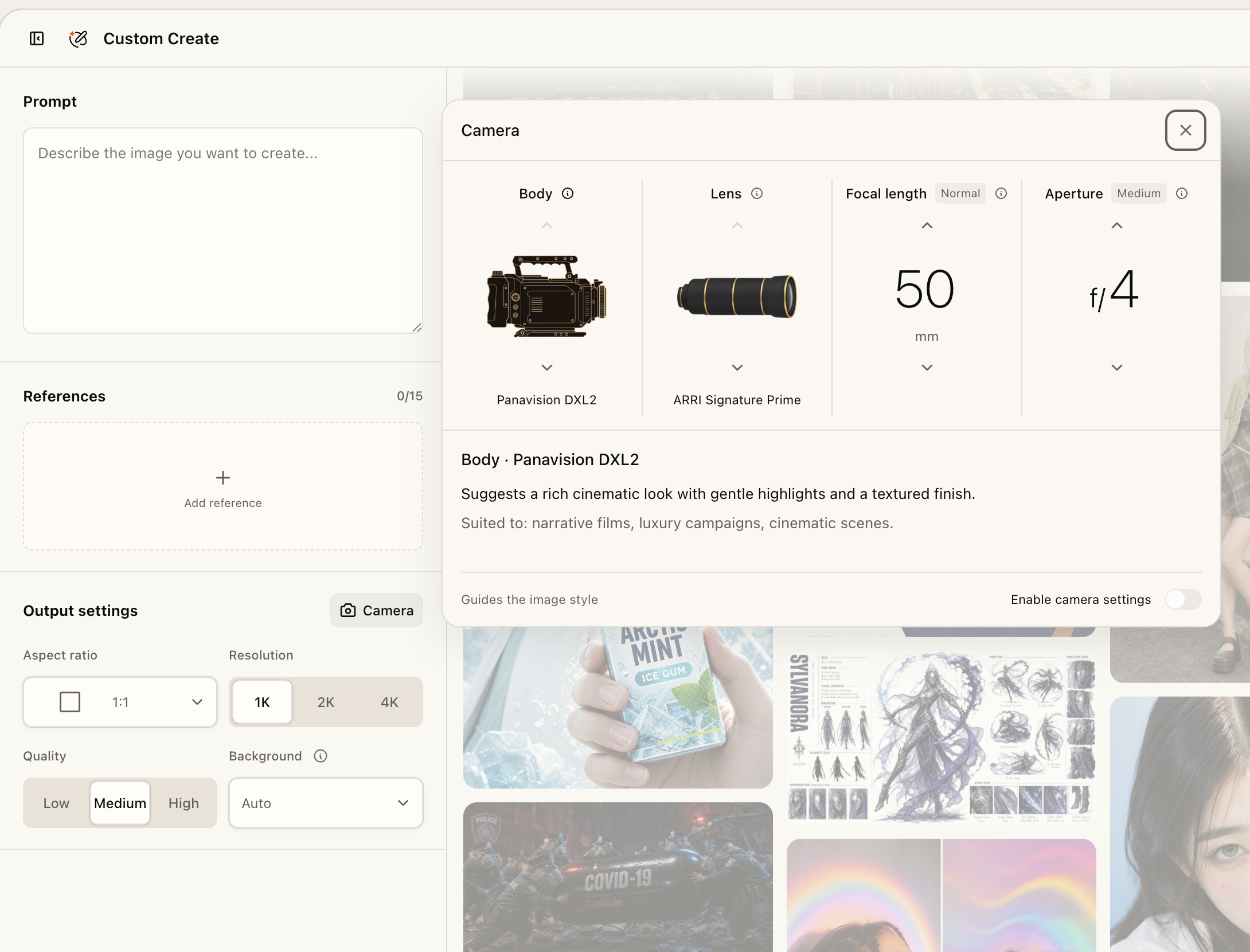
Pixolm suits solo designers and small businesses who want a tidy, conversation-driven image workspace built around GPT Image, without juggling multiple tools. Its annual-only paid plans and a free tier capped at just 20 one-time credits make it hard to evaluate before committing money, and it lacks the model variety that Leonardo.Ai or Midjourney offer. If you need high-volume generation, a monthly billing option, or a broad model roster, look elsewhere.
What is Pixolm?
Pixolm is an AI image workspace for creators, designers, and small businesses. Generate images from text or references, explore ideas with an AI creative agent, and refine results with prompts and optional masks. Dedicated modes support icons, hand-drawn illustrations, and e-commerce visuals. Camera style settings guide framing and photographic style. Free accounts receive 20 one-time welcome credits; paid plans add credits and Premium modes. Capabilities vary by model and mode.
How we scored Pixolm
Capability scores 16 because Pixolm's model roster appears limited to GPT Image, while named competitors like Leonardo.Ai and Midjourney offer multiple model families; the unified library and mask editor are genuine differentiators but do not close that gap. Ease of use scores 18 because the two-mode structure and pre-generation credit quotes reduce friction, and the interface appears straightforward, though the thin free tier prevents proper onboarding evaluation. Value scores 13 because the free tier's 20 one-time credits are insufficient for real evaluation, both paid plans are annual-only with no monthly option (unusual for this category), and $99 per year for 1,000 credits is a meaningful commitment relative to competitors offering monthly flexibility at lower entry points. Delivery scores 15 because no third-party reviews, user sentiment, or independent coverage of Pixolm were found in web search, making it impossible to verify that the tool delivers on its claims; the absence of public track record is itself a risk signal for a buyer.
Pros and cons
What we liked
- Credit cost is shown before every generation, and credits for failed tasks are refunded, making spend predictable.
- Unified library keeps generated images, reference files, and full generation history together, so iterative projects do not lose context between sessions.
- Custom Create mode gives direct control over prompt, reference images (up to 5 included per task), mask, aspect ratio, resolution, quality, and image count in one interface.
Where it falls short
- The free tier is capped at 20 one-time welcome credits with no replenishment, which is too thin to properly evaluate the tool before committing to an annual plan.
- Paid plans are annual-only ($99 or $249 per year); there is no monthly billing option, which is an unusual restriction compared to nearly every named competitor in this category.
- Model selection appears limited to GPT Image; users who need Flux, Stable Diffusion, or other model families have no path to them within Pixolm.
Key features
Pixolm pricing
Free plan includes 20 one-time welcome credits. Plus is $99 per year (1,000 credits per credit cycle). Pro is $249 per year (3,000 credits per credit cycle). No monthly billing option is listed. Extra credits can be purchased on paid plans and never expire.
| Plan | Price | Who it is for |
|---|---|---|
| Free | $0 | 20 one-time welcome credits (no replenishment). Core image generation and editing. Browse Premium creation modes but cannot use them. Cannot purchase extra credits. |
| Plus | $99 per year | 1,000 credits per credit cycle. All Premium creation modes. Ability to purchase extra credits that never expire. |
| Pro | $249 per year | 3,000 credits per credit cycle. All Premium creation modes. Ability to purchase extra credits that never expire. Listed as offering the lowest credit price among paid tiers. |
Pricing reflects what we saw at time of review (2026-09). Always confirm current pricing on the tool's own site.
Who should use Pixolm?
Pixolm fits a designer or small-business owner who generates product visuals, icons, or illustrations on a regular cadence and wants their references, outputs, and generation history in one organized place. The conversational creation mode is particularly useful for someone who iterates heavily, refining an image through several rounds of prompting rather than generating in bulk and picking the best result.
Anyone who needs to test a tool thoroughly before paying should be cautious: 20 free credits will not cover a realistic evaluation session. If you generate at high volume or need access to multiple model families beyond GPT Image, Leonardo.Ai is a better fit, with a token-based plan structure that gives more flexibility across a wider model roster. If Discord-based generation and a large community of style references matter to you, Midjourney's plans starting at $10 per month offer lower entry cost with monthly billing.
Skip it if: High-volume generators or anyone needing monthly billing flexibility or multi-model choice.
Pixolm alternatives
Frequently asked questions
How many free credits do I get, and do they renew?+
The free plan gives you 20 one-time welcome credits. They do not renew. Once used, you must upgrade to a paid plan to continue generating.
Is there a monthly billing option?+
No. As of the current pricing page, both paid plans (Plus at $99 and Pro at $249) are billed annually only. No monthly option is listed.
What does a generation actually cost in credits?+
GPT Image starts at 2.5 credits, but the total depends on model, quality, resolution, and reference image count. Pixolm shows the exact quote before you confirm. Each task includes 5 reference images; each additional one costs 4 credits. Masks are free.
Can I edit part of an existing image?+
Yes. Custom Create supports reference images and a mask editor for targeted inpainting edits, provided the selected model supports masking.
Do unused credits roll over or expire?+
Cycle credits are not described as rolling over. However, extra credits purchased by Plus and Pro subscribers never expire, which is separate from the per-cycle allotment.
What models does Pixolm support?+
The pricing page specifically references GPT Image. The site notes that capabilities vary by model and mode, but no other named models are listed on the public pricing page.
More AI Image Generators tools
See all categoriesGet your tool listed on 300+ directories.
One listing here is a strong start. But the founders who get discovered everywhere are listed everywhere. Our sister site, Free AI Directories, submits your tool to 300+ AI directories for you, every single one by hand, by a real person.
It is a one-time payment of $49, no subscription, and you can follow along as the submissions land. Prefer the slow route? The same site keeps a free list of 450+ directories you can work through yourself.
Get my tool listed on 300+ directoriesOne-time payment, no subscription · 100% human submissions · Free list of 450+ directories included.