
zyncli
An AI illustration workflow that plans editable visual briefs and generates consistent article visuals using private brand assets.
Are you the maker? Claim this listing to keep info, pricing and screenshots current. Verified via your tool's domain email.
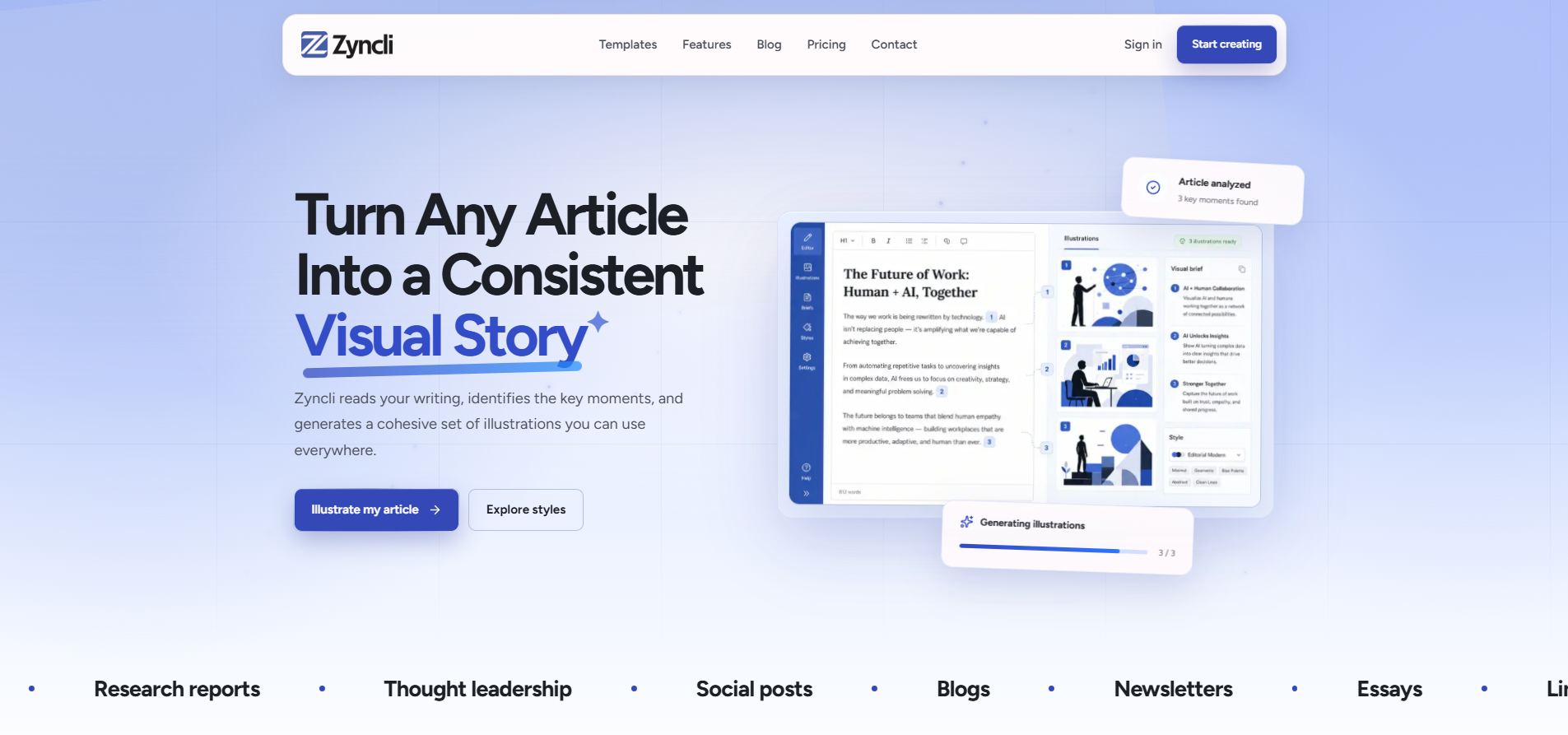
Best for writers or small editorial teams who want to plan and generate multiple illustrations in a unified style using private brand assets. The editable visual briefs and private Skills give control over consistency, but the credit-based model can become costly at scale compared to flat-rate alternatives. If you need unlimited or flat-rate image generation, consider Midjourney or Canva instead.
What is zyncli?
Zyncli is a web-based tool for writers, newsletter creators, and editorial teams to plan and generate AI illustrations with visual consistency. It analyzes your article, suggests key illustration points, and lets you edit a visual brief before generating images. You can upload brand assets and reference files to create private visual Skills that maintain a unified style across outputs. The tool operates on a credit system for planning, image generation, and Skill creation, and supports PNG, JPEG, and WebP formats.
How we scored zyncli
Zyncli earns points for its unique editable visual-brief workflow and private Skills, which support consistent branding. The interface appears clear and planning-first (ease of use). Pricing is modest at $7.90 and $15.20 for defined credit bundles, but the credit model can be costly at scale. Delivery is solid, transparent costs, refunds, and functioning features, but lacks team or API support.
Pros and cons
What we liked
- Editable illustration briefs let you refine visual plans before spending credits.
- Private visual Skills let you upload brand assets and reuse a consistent style.
- Transparent credit pricing with top-ups that never expire and automatic refunds on failure.
Where it falls short
- Credit-based pricing can get expensive for high-volume users compared to flat-rate tools.
- No API or team workspace yet, limiting collaboration and automation.
- Supports only PNG, JPEG, and WebP, no vector or higher-resolution export.
Key features
zyncli pricing
Zyncli offers a free tier with 12 one-time starter credits. The Creator plan costs $7.90/month (billed annually) for 100 credits and up to 3 private Skills. The Studio plan is $15.20/month (billed annually) for 240 credits, up to 10 private Skills, priority queue, and private R2 originals. One-time credit top-ups are $12.90 for 100 credits or $27.90 for 250 credits. Credits are used for planning, image generation, and Skill creation, and top-up credits never expire.
| Plan | Price | Who it is for |
|---|---|---|
| Free | $0 | 12 one-time starter credits, article planning, brief review, private result gallery. |
| Creator | $7.90/month (billed annually) | 100 credits renewed monthly, up to 3 private brand Skills. |
| Studio | $15.20/month (billed annually) | 240 credits renewed monthly, up to 10 private brand Skills, priority generation queue, private R2 originals and versions. |
| Credit top-up 100 | $12.90 one-time | 100 credits that never expire. |
| Credit top-up 250 | $27.90 one-time | 250 credits that never expire. |
Pricing reflects what we saw at time of review (2026-08). Always confirm current pricing on the tool's own site.
Who should use zyncli?
Use Zyncli if you regularly publish articles, newsletters, or social content and want all your visuals to follow a consistent style. The editable illustration briefs and private brand Skills help maintain visual coherence across a series. If you publish at high volume or prefer flat-rate or unlimited image generation, look elsewhere, tools like Midjourney or Canva offer simpler pricing models.
Skip it if: High-volume users who prefer flat-rate or unlimited image generation.
zyncli alternatives
Tags
Frequently asked questions
How many credits do I get on the free plan?+
The free plan gives you 12 one-time starter credits to explore planning and generation.
What does the Creator plan cost and include?+
The Creator plan costs $7.90/month (billed annually) and gives you 100 credits renewed monthly and up to 3 private brand Skills.
Do unused credits roll over?+
Monthly plan credits do not roll over, but top-up credits never expire and are used after monthly credits.
Can I preview illustration briefs before spending credits?+
Yes, you can edit, remove, or reorder every illustration brief before image credits are used.
What file formats can I download?+
You can download images in PNG, JPEG, or WebP formats, either individually or as a full article set.
More AI Image Generators tools
See all categoriesGet your tool listed on 300+ directories.
One listing here is a strong start. But the founders who get discovered everywhere are listed everywhere. Our sister site, Free AI Directories, submits your tool to 300+ AI directories for you, every single one by hand, by a real person.
It is a one-time payment of $49, no subscription, and you can follow along as the submissions land. Prefer the slow route? The same site keeps a free list of 450+ directories you can work through yourself.
Get my tool listed on 300+ directoriesOne-time payment, no subscription · 100% human submissions · Free list of 450+ directories included.